

Otimização de Rede
Duas (ou mais) conexões são melhores do que uma. Use a Otimização de Rede para manter sua transmissão IRL ativa quando sua conexão principal cair ou enfraquecer.
Exclusivo para o Streamlabs Mobile.
Mantenha sua transmissão IRL conectada
Use redes WiFi e de dados móveis juntas para ajudar a reduzir a perda de quadros, evitar conexões instáveis e continuar ao vivo em condições reais com confiança.
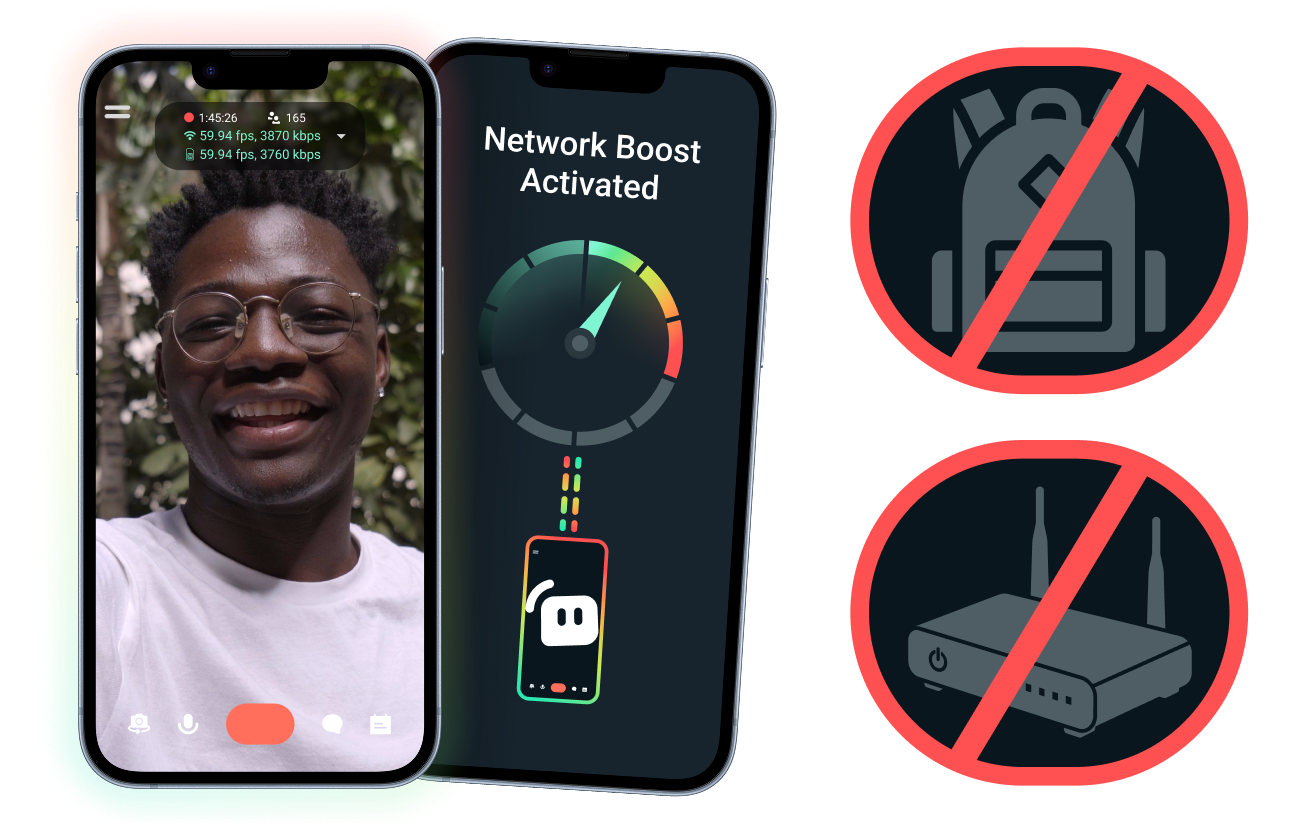
Configuração fácil. Sem hardware adicional.
Estabilize sua transmissão móvel usando as conexões que você já tem. Sem roteadores caros, mochilas de transmissão ou a necessidade de equipamentos complicados. No entanto, configurações avançadas também são suportadas.
Faça transmissões ao vivo além da sua mesa
Esteja você transmitindo de eventos, hotéis, parques ou espaços públicos lotados, a Otimização de Rede ajuda a fortalecer sua conexão, para que você possa entrar ao vivo não só da sua configuração de transmissão fixa em casa.
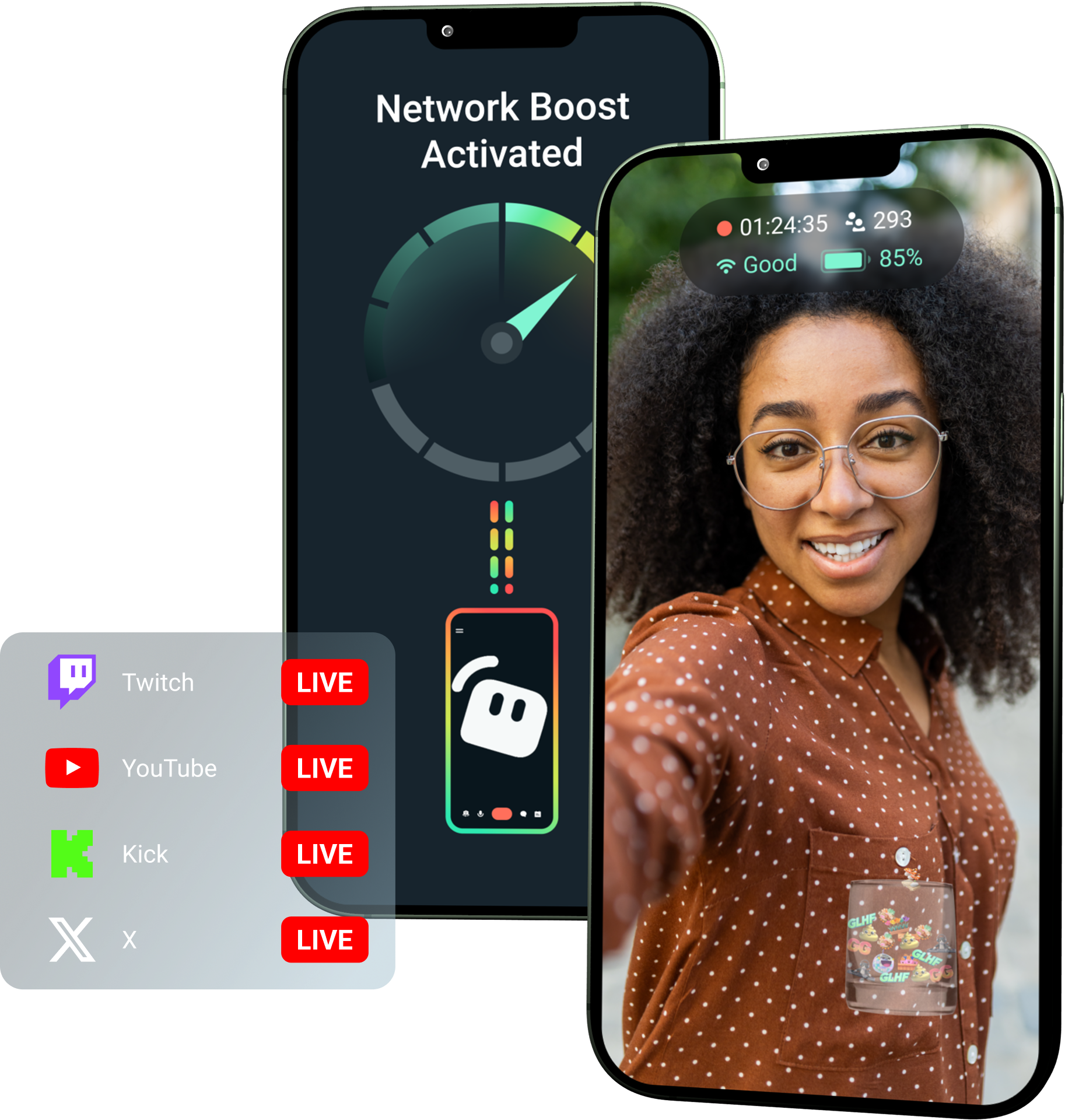
Aproveite a Otimização de Rede com o Streamlabs Ultra!
O Ultra oferece aos criadores móveis acesso a recursos premium como Otimização de Rede, Multitransmissão e Proteção contra desconexão, para ajudá-los a criar transmissões melhores e estáveis com seus dispositivos móveis.
Como funciona
Use WiFi e dados móveis juntos para ajudar a manter sua transmissão móvel ao vivo, mesmo quando sua conexão ficar instável.
Abra o Streamlabs Mobile e ative a Otimização de Rede para iniciar a configuração. Para configurações avançadas com vários dispositivos de retransmissão, abra o Streamlabs Controller para começar.
Escaneie o código QR ou insira manualmente os detalhes da conexão para emparelhar seus dispositivos.
Assim que estiver conectado, entre ao vivo no Streamlabs Mobile. A Otimização de Rede é executada em segundo plano, para manter sua transmissão conectada!
Otimização de Rede x outras soluções
| Otimização de Rede | Equipamentos e mochilas de streaming | Outras soluções de software | Other | |
|---|---|---|---|---|
Melhor para | Criadores que querem uma maneira mais simples de melhorar a confiabilidade da transmissão móvel/IRL sem hardware extra | Criadores de IRL avançados com necessidades de nível profissional e orçamentos maiores para equipamentos | Criadores com segurança para adicionar uma ferramenta separada, para ajudar a gerenciar conexões de internet | Customizable tip page |
Hardware adicional necessário | Não | Sim, geralmente requer codificadores, modems, roteadores, mochilas ou acessórios | Não requer hardware de transmissão dedicado, mas pode precisar de um aplicativo ou serviço separado | Customizable tip page |
Configuração fácil | Configuração simples: funciona por meio do Streamlabs Mobile e do aplicativo Streamlabs Controller (para conexões adicionais) | Requer configuração de hardware, configuração, carregamento e transporte | Requer outras configurações além dos aplicativos de transmissão | |
Custo | Incluído no Streamlabs Ultra/Ultra+ como uma das muitas vantagens premium para criadores | Pode exigir centenas ou milhares de dólares adiantados, além de possíveis custos contínuos de dados/serviço | Geralmente menor do que configurações de hardware, mas pode exigir uma assinatura separada | Customizable tip page |
Feito para streamers IRL | Sim, projetado para streamers móveis de qualquer nível | Sim, mas geralmente criados para configurações de produção IRL mais avançadas | Pode ser compatível com gerenciamento de conexão, mas nem sempre é criado especificamente para as necessidades de streaming móvel | Customizable tip page |

Melhore o nível de suas transmissões ao vivo, marca, edição e muito mais com o Streamlabs Ultra
Acesse os recursos premium do pacote completo, incluindo Streamlabs Desktop, Mobile, Console, Talk Studio, Podcast Editor, Cross Clip e muito mais, disponíveis por um preço único e acessível. Saiba mais
Perguntas frequentes
A Otimização de Rede ajuda streamers mobile a melhorar a confiabilidade da transmissão usando múltiplas conexões de internet, como Wi-Fi e dados móveis. Quando uma conexão enfraquece ou se torna instável, a Otimização de Rede ajuda a reduzir a perda de quadros e interrupções, para que os criadores possam continuar ao vivo com mais confiança.
A Otimização de Rede é configurada através do Streamlabs Mobile (ou o aplicativo Streamlabs Controller para conexões avançadas) e foi desenvolvida para criadores que fazem transmissões ao vivo com o Streamlabs Mobile. Os criadores podem ativar a Otimização de Rede, conectar fontes de internet disponíveis e entrar ao vivo como de costume. A Otimização de Rede é executada em segundo plano para ajudar a dar suporte à transmissão quando as condições da rede mudam.
Streamers de dispositivos móveis e IRL costumam entrar ao vivo de ambientes imprevisíveis, incluindo eventos, hotéis, espaços ao ar livre, destinos de viagem e redes Wi-Fi públicas. Quando uma conexão enfraquece ou cai, os criadores correm o risco de perder quadros, ter interrupções na transmissão, perder espectadores e reduzir o engajamento.
Isso também pode atrapalhar a experiência IRL do criador quando ele precisa pausar, solucionar problemas ou ajustar sua configuração repetidamente durante uma transmissão ao vivo.
Sim. A Otimização de Rede está disponível exclusivamente para assinantes ativos do Streamlabs Ultra e Ultra+ ou para aqueles com um teste ativo de qualquer um deles.
- Assinantes Ultra recebem 10 horas de Otimização de Rede por mês
- Assinantes Ultra+ recebem 80 horas de Otimização de Rede por mês.
O Streamlabs Ultra também desbloqueia ferramentas adicionais de transmissão móvel, incluindo Stream Shift, multitransmissão e muito mais.
Outras partes da experiência do Streamlabs Mobile, incluindo o Filtro de Privacidade, estão disponíveis para todos os usuários do Streamlabs Mobile.
Se você estiver transmitindo em uma área com conexão ruim, utilize a Otimização de Rede, que combina várias redes para uma conexão mais estável, e a proteção contra desconexão, que mantém sua transmissão ao vivo caso seu serviço caia totalmente. Ambos estão disponíveis no Streamlabs Mobile exclusivamente para membros Ultra.
Atualmente, o dispositivo de transmissão principal deve ser iOS (por exemplo, iPad ou iPhone), enquanto o dispositivo secundário/de retransmissão pode ser iOS ou Android. O desempenho depende da força e da disponibilidade das redes que você está usando.
Não. A Otimização de Rede não requer hardware extra, como uma mochila de streaming ou roteador. Ele foi projetado para funcionar com as conexões e dispositivos que os criadores já possuem.
Entre em contato com o suporte por meio deste link.