

由 STREAMLABS VISION 提供支持
Streamlabs Sidekick
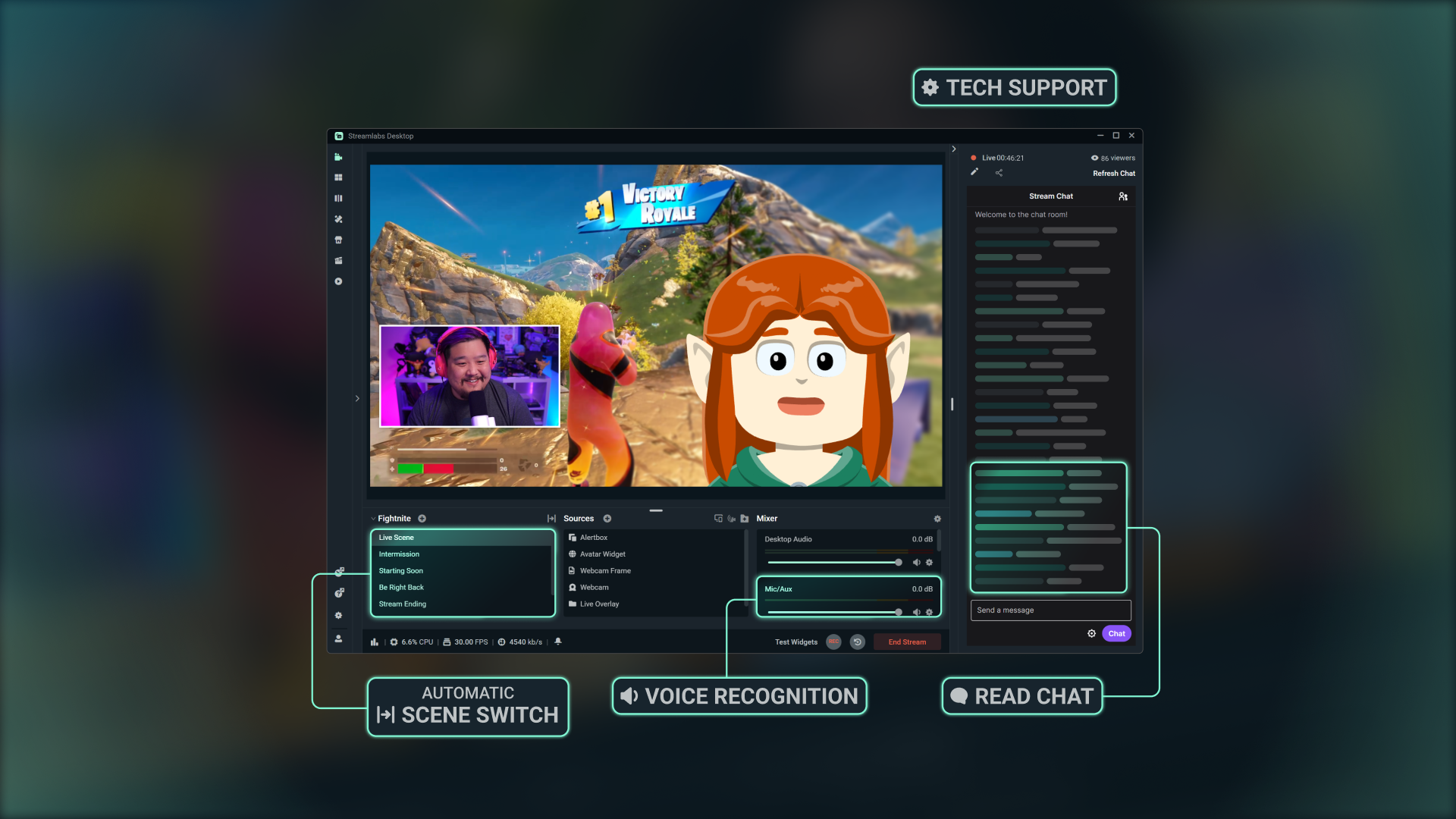
一个 Intelligent Streaming Agent,它既是您的虚拟联合主持人、直播制作人,也是您的技术支持——协同工作,让您可以专注于创作。
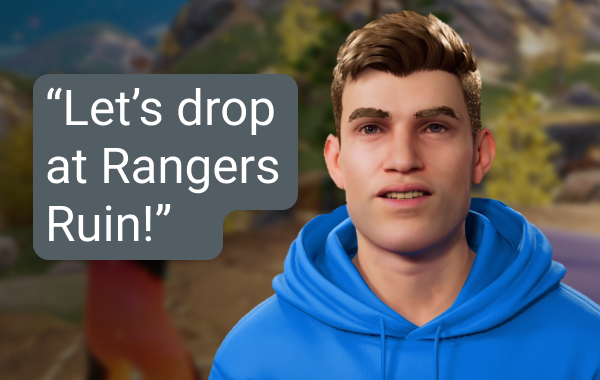
直播制作人
使用简单的语音命令即可切换场景、控制音频、与聊天互动、提供解说等,无需动动手指。
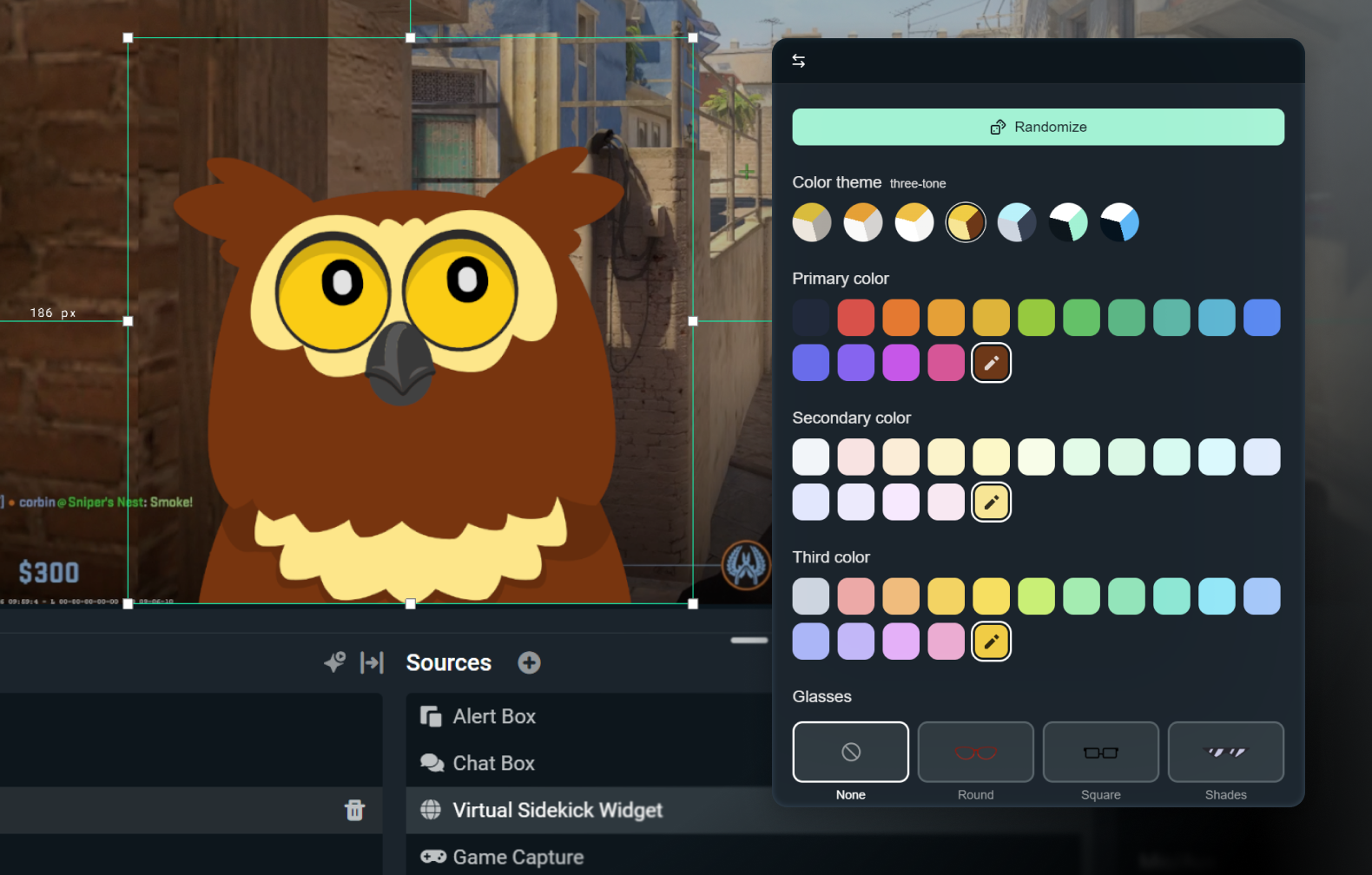
自定义您的 2D 或 3D 虚拟形象
仅启用语音以保持低调,或使用 3D 或 2D 虚拟形象使其栩栩如生。 2D 虚拟形象让您无需占用大量 CPU 资源即可在屏幕上拥有您的助手。
使用配饰、名称和您选择的声音自定义您的虚拟形象。

技术支持
实时故障排除,让您可以专注于直播而非设置。
采用顶尖的人工智能技术打造
采用 NVIDIA 和 Inworld 的技术开发,可提供逼真的 3D 虚拟形象和实时智能。
运作方式
在 Streamlabs Desktop 中安装应用程序。选择 Sidekick 屏幕上的形象或仅背景模式。
自定义您的设置,并选择符合您品牌的 2D 或 3D 虚拟形象。
像往常一样直播,同时您的 Sidekick 会在切换场景、讨论话题、技术支持等方面为您提供帮助,让您可以专注于观众。
简单、按使用量计费的访问方式
免费
总计 100 次互动
Sidekick 形象
联合主持和技术支持功能
Ultra
每月 1000 次互动
在资源可用的情况下,享有优先使用权
Ultra Plus
每月 5000 次互动
在资源可用的情况下,享有优先使用权
主要规格
联合主持、制作人和技术支持功能在本地运行,对系统的影响极小(内部测试中 GPU 使用率约为 3%)。可选的 3D 形象需要额外的资源,但 2D 形象的影响很小。
《堡垒之夜》《无畏契约》《绝地求生》和《反恐精英 2》均已获得全面支持。
请留意后续更多游戏的适配支持。
在直播中使用 3D 或 2D 形象,或以背景模式运行 Sidekick 作为静默助手。

使用 Streamlabs Vision 构建
Intelligent Streaming Agent(被称为 Sidekick)由功能强大的实时 AI 模型 Streamlabs Vision 提供支持。开发者可以接入相同的视觉、语音和自动化模型,为全球各地的主播打造全新的直播体验。
常见问题解答
Sidekick 是我們的智慧直播助理,作為內建於 Streamlabs Desktop 中的虛擬共同主持人、現場製作人和技術助理。它通过音频指令协助处理制作任务,与您的观众互动,并监控您的直播运行状况,这样您就可以专注于创作内容。
不会。虚拟形象是可选的。您可以在后台模式下运行 Sidekick,作为内容制作者或技术助手使用。
这些游戏支持 Sidekick:
- 7 Days to Die
- 《Apex 英雄》
- 《弧光猎人》
- Arena Breakout:Infinite
- Battlefield 6
- Bloodborne
- Call of Duty:Black Ops 6
- Call of Duty:《黑色行动 7》
- Call of Duty:Modern Warfare 4
- Call of Duty:《战区》
- Counter-Strike 2
- Dark Souls Remastered
- Dark Souls II
- Dark Souls III
- DayZ
- 《黎明杀机》
- 《异锁》
- Delta Force
- Dota 2
- EA Sports FC 26
- Elden Ring
- 《雾锁王国》
- Escape From Tarkov
- F1® 25
- Fortnite
- 《极限竞速:地平线 6》
- Halo Infinite
- Helldivers 2
- Heroes of the Storm
- Hunt:Showdown 1896
- 《英雄联盟》
- Left 4 Dead 2
- Madden NFL 27
- 《失落星船:马拉松》
- 《漫威争锋》
- 《我的世界》
- Mortal Shell 2
- NBA 2K26 + 2K27
- 《守望先锋 2》
- Palworld
- Path of Exile 2
- PUBG:BATTLEGROUNDS
- 《火箭联盟》
- Rust
- Sekiro:Shadows Die Twice
- Teamfight Tactics
- Tom Clancy's Rainbow Six Siege X
- Valheim
- 《无畏契约》
- 《战争雷霆》
- Wardogs
- World of Warcraft:Solo Shuffle
我们将持续扩展支持的游戏阵容,敬请关注后续更新!
可以,但有一些限制。 AMD GPU 不支持屏幕上的形象。但所有其他功能(如纯音频模式等)仍可正常使用。
可以!免费计划仅支持有限的互动次数和自动化功能。 Ultra 和 Ultra Plus 可解锁更高的使用额度,专为希望获得更高互动限制的主播设计。
互动是 Sidekick 以文本或语音形式作出任何回复。例如,如果您在聊天中输入一个问题,Sidekick 的回答算作一次互动。如果您要求 Agent 更换场景,这也算作一次互动,除非是通过自动化流程完成场景切换且形象没有以文本或语音形式通知用户,在这种情况下不消耗互动次数。除非 Sidekick 用语音或文字形式作出回复,否则像切换场景或剪辑高光时刻这样的动作本身不算作互动。
不会。在每个日历月开始时计数器都会重置。
是的,您可以选择各种形象,并根据您的品牌来自定义其个性和外观。
以下是使用屏幕 3D 虚拟形象的最低系统要求。如果您在仅语音模式下使用 Sidekick 或使用我们的任何 2D 虚拟形象,则只需满足Streamlabs Desktop 最低要求。
单台 PC 设置
- GPU:
- NVIDIA GeForce RTX™ 3090、3090 TI、5090 或更高版本
- Quadro RTX™ 4000 或更高版本
- TITAN RTX™
- VRAM:完整工作负载(Agent + 虚拟形象 + 制作)需 24 GB
- 操作系统:Windows 11
- 驱动单元:我们建议始终安装最新的 NVIDIA Game Ready 驱动单元。
双 PC 设置
- GPU:
- NVIDIA GeForce RTX™ 3060、3080、3080 Ti、3090、3090 Ti、4070、4070 SUPER、4070 Ti SUPER、4080 SUPER、4090、5070、5070 Ti、5080、5090 或更高版本
- Quadro RTX™ 4000 或更高版本
- TITAN RTX™
- VRAM:12 GB
- 操作系统:Windows 11
- 驱动单元:我们建议始终安装最新的 NVIDIA Game Ready 驱动单元。
如果您需要帮助以了解 VRAM 容量,请点击此处查看我们的指南。
请通过此链接联系支持人员。