

AANGESTUURD DOOR STREAMLABS VISION
Streamlabs Sidekick
Een Intelligent Streaming Agent die werkt als je virtuele co-host, live producent en technische ondersteuning—en samenwerkt zodat jij je kunt concentreren op het creëren.
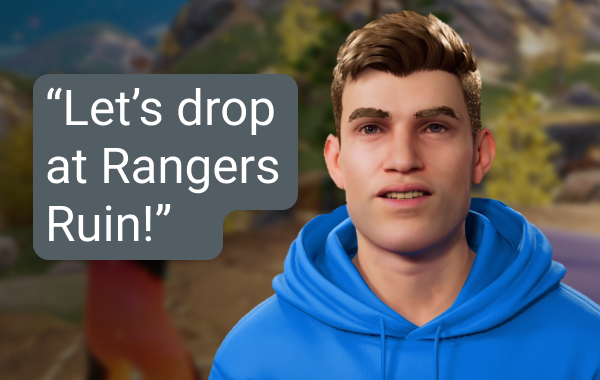
Live Producent
Gebruik eenvoudige spraakopdrachten om scènes te wisselen, audio te bedienen, met je chat te praten, commentaar te geven, en meer zonder een vinger uit te steken.
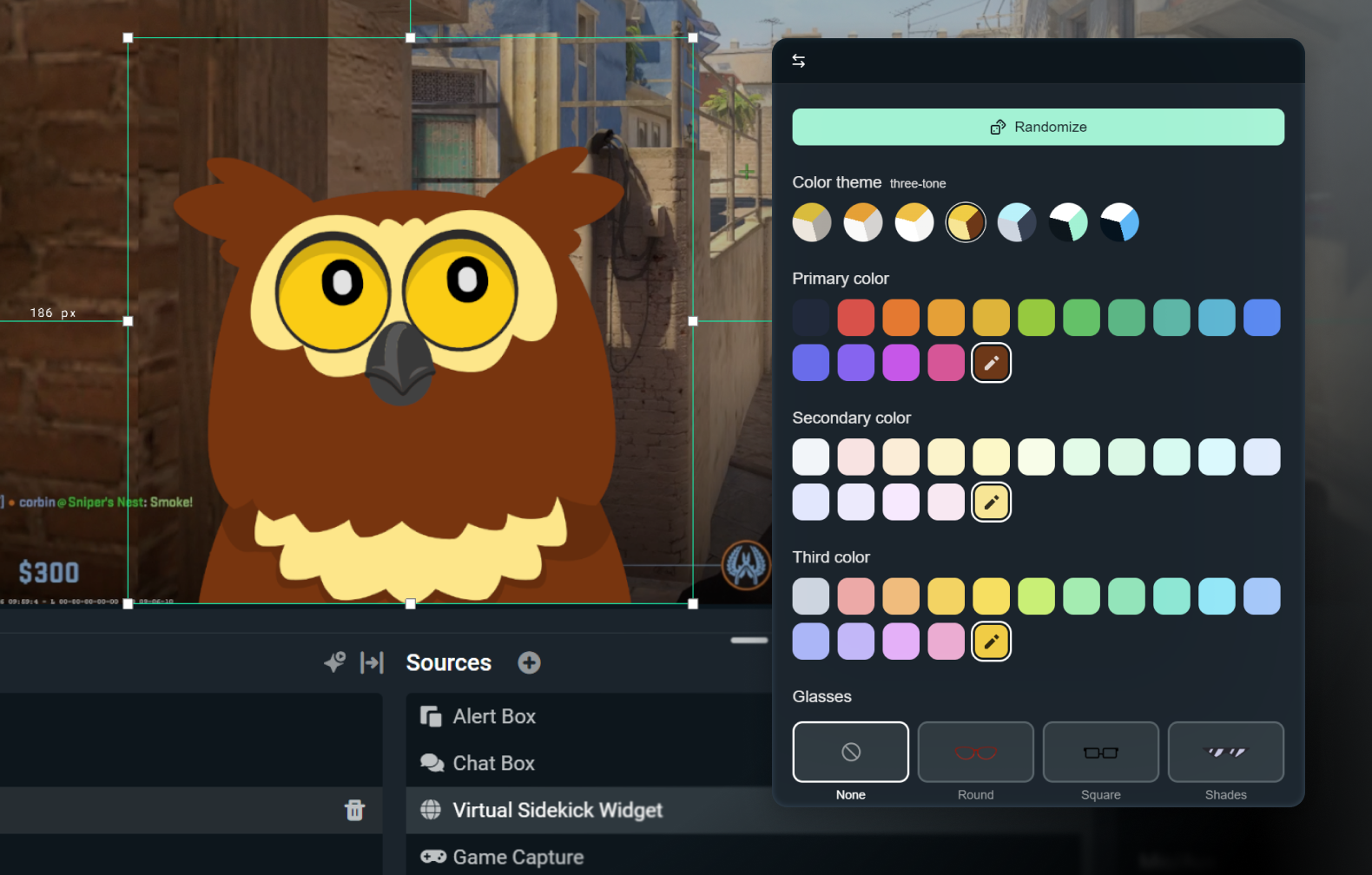
Pas je 2D- of 3D-avatar aan
Houd het subtiel met alleen spraak ingeschakeld, of breng het tot leven met een 3D- of 2D-avatar. Met 2D-avatars kun je profiteren van je sidekick op het scherm zonder grote impact op je CPU.
Pas je avatar aan met accessoires, een naam en een stem naar keuze.

Technische ondersteuning
Problemen oplossen terwijl je bezig bent, zodat je je kunt concentreren op streamen en niet op instellingen.
Gemaakt met de beste AI
Gemaakt met technologie van NVIDIA en Inworld voor levensechte 3D-avatars en realtime intelligentie.
Zo werkt het
Zet de app op Streamlabs Desktop. Kies Sidekick op het scherm of alleen achtergrondmodus.
Pas je instellingen aan en kies een 2D- of 3D-avatar die bij je merk past.
Stream zoals gewoonlijk terwijl je Sidekick je helpt met het wisselen van scènes, discussieonderwerpen, technische ondersteuning en meer, zodat jij je kunt concentreren op je publiek.
Simpel, toegang op basis van gebruik
Gratis
100 interacties in totaal
Sidekick-avatar
Co-host & technische ondersteuningsfuncties
Ultra
1000 interacties per maand
Prioritair gebruik indien beschikbaar
Ultra Plus
5000 interacties per maand
Prioritair gebruik indien beschikbaar
Belangrijkste specificaties
Co-host-, producent- en technische ondersteuningsfuncties draaien lokaal met een minimale impact op het systeem (~3% GPU in interne tests). De optionele 3D-avatar vereist extra bronnen, maar de 2D-avatar heeft een lage impact.
Fortnite, Valorant, PUBG en Counter-Strike 2 worden allemaal helemaal ondersteund.
En er komt nog extra ondersteuning voor meer games.
Gebruik de 3D- of 2D-avatar tijdens het streamen, of draai de Sidekick in achtergrondmodus als een stille assistent.
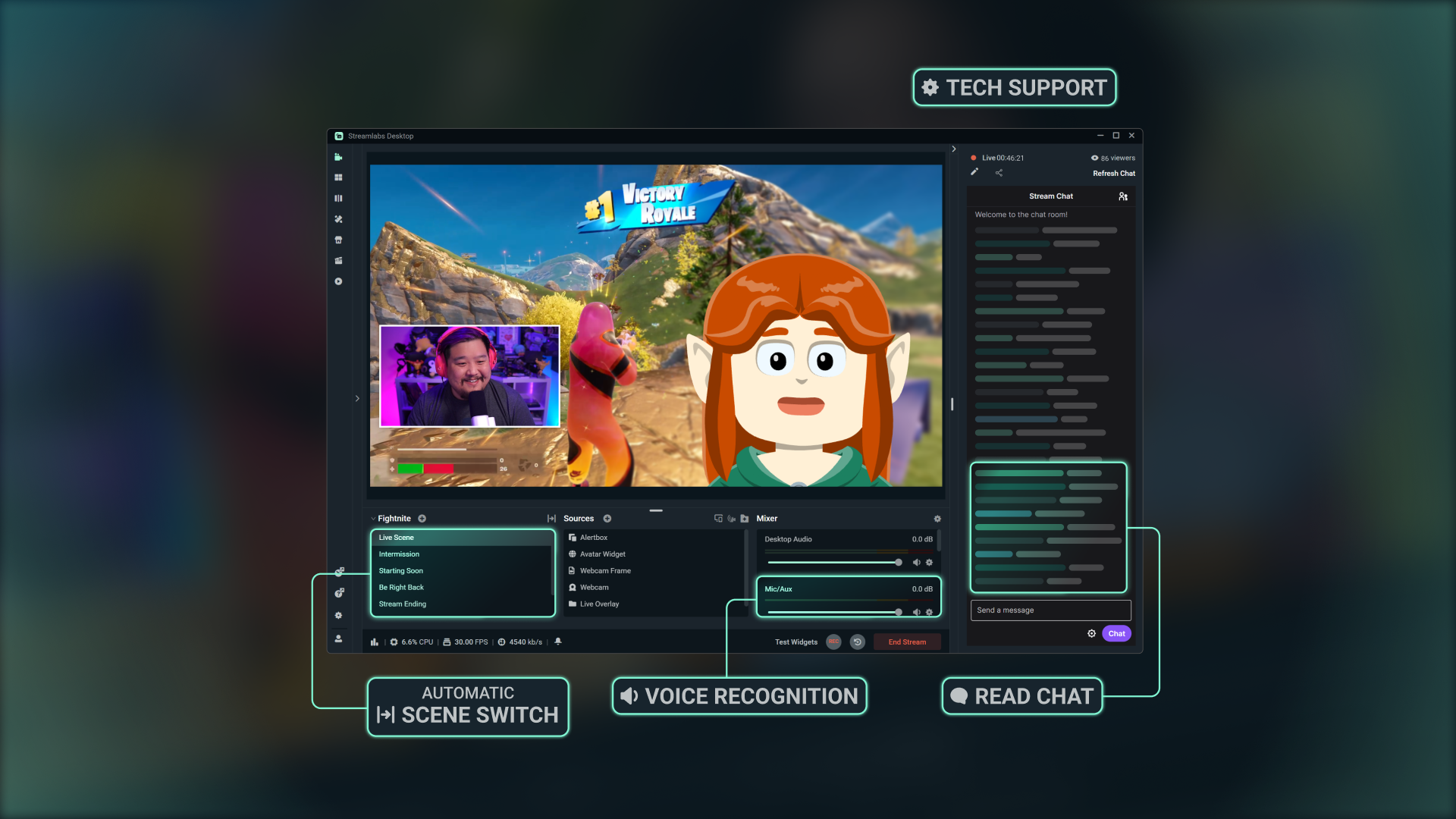
Ontdek hoe je aan de slag kunt gaan
Volg onze stapsgewijze handleiding om te zien hoe je gebruikmaakt van alle functies die Sidekick te bieden heeft.

Gemaakt met Streamlabs Vision
De Intelligent Streaming Agent, bekend als de Sidekick, wordt aangestuurd door Streamlabs Vision, een krachtig AI-model voor real-time gebruik. Ontwikkelaars kunnen dezelfde visie, stem en automatiseringsmodellen gebruiken om nieuwe ervaringen te creëren voor streamers overal ter wereld.
Veelgestelde vragen
De Sidekick is onze intelligente streamingagent en fungeert als een virtuele co-host, live producer en technische assistent die in Streamlabs Desktop is ingebouwd. Hij helpt bij productietaken via audiocommando's, communiceert met je publiek en houdt je stream in de gaten, zodat jij je kunt concentreren op het maken van content.
Nee De avatars zijn optioneel. Je kunt de Sidekick in de achtergrondmodus gebruiken als producent of technisch assistent.
Deze games worden ondersteund door de Sidekick:
- 7 Days to Die
- Apex Legends
- ARC Raiders
- Arena Breakout: Infinite
- Battlefield 6
- Bloodborne
- Call of Duty: Black Ops 6
- Call of Duty: Black Ops 7
- Call of Duty: Modern Warfare 4
- Call of Duty: Warzone
- Counter-Strike 2
- Dark Souls Remastered
- Dark Souls 2
- Dark Souls 3
- DayZ
- Dead by Daylight
- Deadlock
- Delta Force
- Dota 2
- EA Sports FC 26
- Elden Ring
- Enshrouded
- Escape From Tarkov
- F1® 25
- Fortnite
- Forza Horizon 6
- Halo Infinite
- Helldivers 2
- Heroes of the Storm
- Hunt: Showdown 1896
- League of Legends
- Left 4 Dead 2
- Madden NFL 27
- Marathon
- Marvel Rivals
- Minecraft
- Mortal Shell 2
- NBA 2K26 + 2K27
- Overwatch 2
- Palworld
- Path of Exile 2
- PUBG: BATTLEGROUNDS
- Rocket League
- Rust
- Sekiro: Shadows Die Twice
- Teamfight Tactics
- Tom Clancy's Rainbow Six Siege X
- Valheim
- Valorant
- War Thunder
- Wardogs
- World of Warcraft: Solo Shuffle
We blijven het aantal games dat we ondersteunen uitbreiden, dus kom regelmatig terug voor updates!
Ja, maar met beperkingen. Avatars op het scherm werken niet met AMD GPU's. Alle andere functies (zoals de audio-only-modus, enz.) blijven echter gewoon werken.
Ja. Het gratis plan werkt met beperkte interacties en automatiseringen. Ultra en Ultra Plus bieden meer mogelijkheden en zijn bedoeld voor streamers die op zoek zijn naar hogere limieten voor interacties.
Een interactie is elk antwoord van de Sidekick, of het nu via tekst of spraak is. Als je bijvoorbeeld een vraag in de chat typt, telt het antwoord van de Sidekick als een interactie. Als je vraagt om van scène te veranderen, telt dat ook mee, tenzij het gebeurt via een automatisering zonder dat de avatar iets zegt. In dat geval telt het niet mee. Dingen als van scène wisselen of hoogtepunten knippen zijn op zichzelf geen interacties, tenzij de Sidekick mondeling of via tekst reageert.
Nee De teller wordt aan het begin van elke maand weer op nul gezet.
Ja, je kunt kiezen uit verschillende avatars en hun persoonlijkheid en uiterlijk aanpassen aan je merk.
Dit zijn de minimale systeemvereisten om de 3D-avatar op het scherm te kunnen gebruiken. Als je de Sidekick in de modus voor alleen spraak gebruikt of een van onze 2D-avatars gebruikt, hoef je alleen te voldoen aan de minimale systeemvereisten voor Streamlabs Desktop.
Opstelling met één pc
- GPU:
- NVIDIA GeForce RTX™ 3090, 3090 TI of 5090 of hoger
- Quadro RTX™ 4000 of hoger
- TITAN RTX™
- VRAM: 24 GB voor de volledige werkbelasting (Agent + avatar + productie)
- Besturingssysteem: Windows 11
- Driver: We raden je aan om altijd de nieuwste NVIDIA Game Ready Driver te installeren.
Opstelling met twee pc's
- GPU:
- NVIDIA GeForce RTX™ 3060, 3080, 3080 Ti, 3090, 3090 Ti, 4070, 4070 SUPER, 4070 Ti SUPER, 4080 SUPER, 4090, 5070, 5070 Ti, 5080, 5090 of hoger
- Quadro RTX™ 4000 of hoger
- TITAN RTX™
- VRAM: 12GB
- Besturingssysteem: Windows 11
- Driver: We raden je aan om altijd de nieuwste NVIDIA Game Ready Driver te installeren.
Als je hulp nodig hebt om te checken hoeveel VRAM je hebt, kijk dan even naar onze gids .
Neem contact op met ondersteuning via deze link.