

POWERED BY STREAMLABS VISION
Streamlabs Sidekick
Ein Intelligent Streaming Agent, der als dein virtueller Co-Host, Live-Produzent und technischer Support fungiert – damit du dich voll und ganz auf das Erstellen von Inhalten konzentrieren kannst.
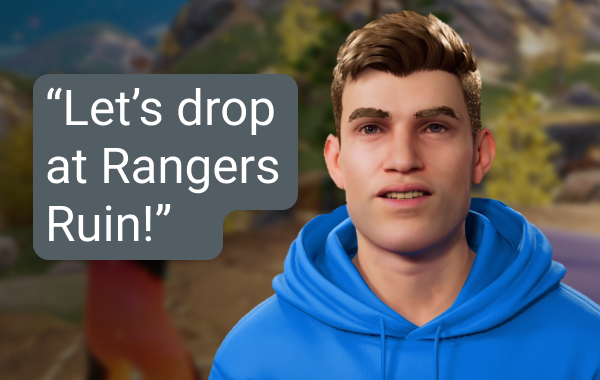
Live-Produzent
Nutze einfache Sprachbefehle, um Szenen zu wechseln, Audio zu steuern, mit deinem Chat zu interagieren, Kommentare abzugeben und mehr – ohne einen Finger zu rühren.
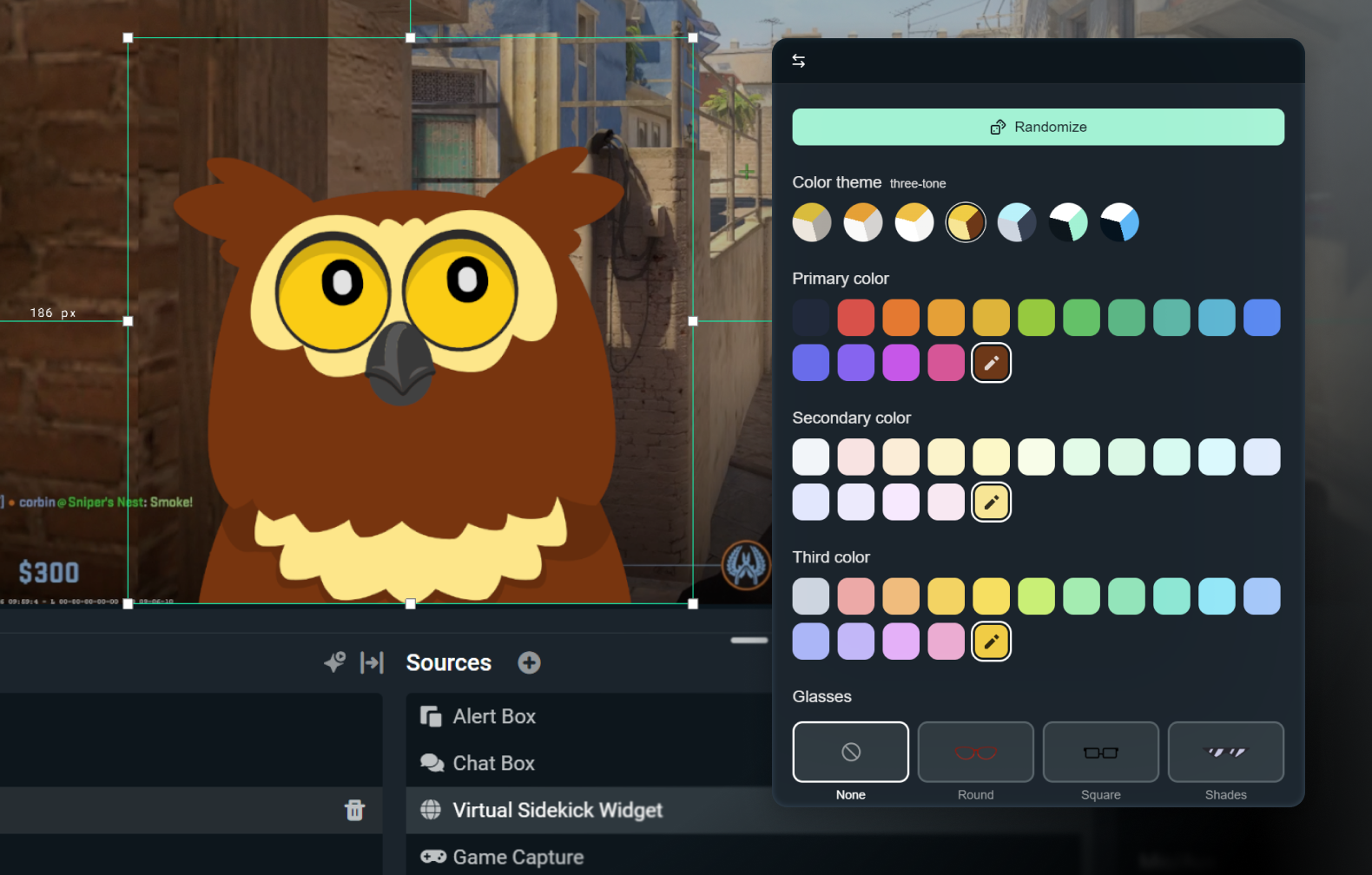
2D- oder 3D-Avatar anpassen
Gestalte deinen Stream dezent mit reiner Sprachübertragung oder sorge mit einem 3D- oder 2D-Avatar für etwas mehr Action. Mit einem 2D-Avatar kannst du deinen Sidekick auf dem Bildschirm haben, ohne deine CPU zu stark zu belasten.
Passe deinen Avatar mit Zubehör, einem Namen und einer Stimme deiner Wahl an.

Technischer Support
Echtzeit-Fehlerbehebung, damit du dich aufs Streamen konzentrieren kannst – nicht auf die Einstellungen.
Entwickelt mit der besten KI
Entwickelt mit Technologie von NVIDIA und Inworld für echt aussehende 3D-Avatare und Echtzeit-Intelligenz.
So funktioniert es
Installiere die App in Streamlabs Desktop. Wähle nur den Sidekick-Bildschirm- oder Hintergrundmodus.
Passe deine Einstellungen an und wähle einen 2D- oder 3D-Avatar aus, der zu deiner Marke passt.
Streame wie gewohnt, während dein Sidekick dich beim Szenenwechsel, bei Diskussionsthemen, beim technischen Support und vielem mehr unterstützt – so kannst du dich voll auf dein Publikum konzentrieren.
Einfacher, nutzungsbasierter Zugang
Kostenlos
Insgesamt 100 Interaktionen
Sidekick-Avatar
Funktionen für Co-Host und technischen Support
Ultra
1.000 Interaktionen pro Monat
Priorität bei der Nutzung, wenn verfügbar
Ultra Plus
5.000 Interaktionen pro Monat
Priorität bei der Nutzung, wenn verfügbar
Wichtige Spezifikationen
Die Funktionen für Co-Host, Produzenten und technischen Support laufen lokal und belasten das System kaum (in internen Tests nur ca. 3 % des GPU). Der optionale 3D-Avatar erfordert zusätzliche Ressourcen, der 2D-Avatar ist jedoch ressourcenschonend.
Fortnite, Valorant, PUBG und Counter-Strike 2 werden alle voll unterstützt.
Halt die Augen offen, bald gibt noch mehr Spiele, die unterstützt werden.
Verwende den 3D- oder 2D-Avatar im Stream oder lass den Sidekick im Hintergrundmodus als stillen Assistenten laufen.
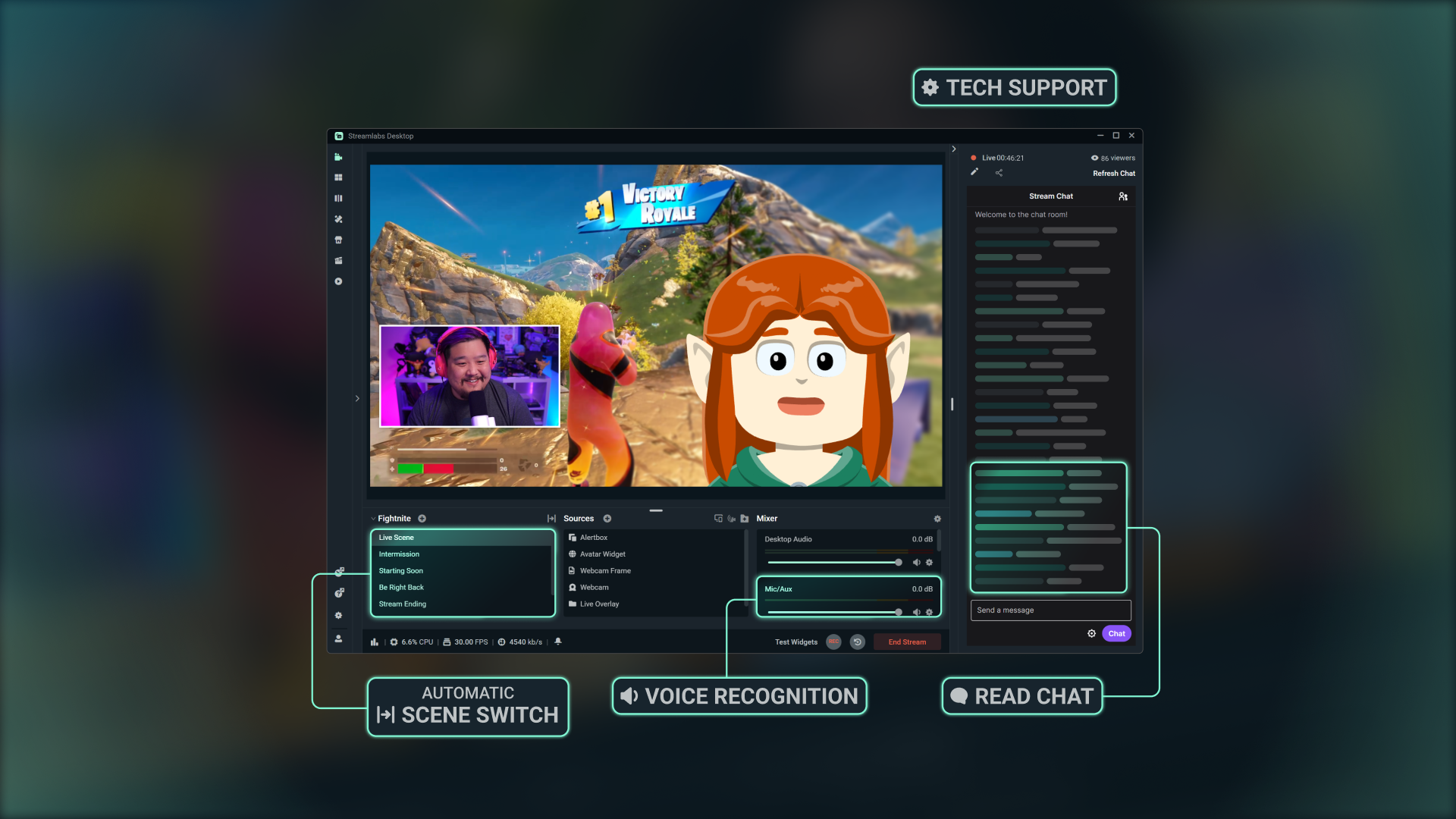
Erfahre, wie du loslegen kannst
In unserem Schritt-für-Schritt-Tutorial erfährst du, wie du alle Funktionen nutzen kannst, die Sidekick zu bieten hat.

Mit Streamlabs Vision entwickelt
Der als Sidekick bekannte Intelligent Streaming Agent wird von Streamlabs Vision unterstützt, einem starken Echtzeit-KI-Modell. Entwickler können auf dieselben Vision-, Sprach- und Automatisierungsmodelle zugreifen, um neue Erlebnisse für Streamer überall zu schaffen.
Häufig gestellte Fragen
Der Sidekick ist unser intelligenter Streaming-Agent und fungiert als virtueller Co-Moderator, Live-Produzent und technischer Assistent, der in Streamlabs Desktop integriert ist. Er hilft bei Produktionsaufgaben durch Audiobefehle, interagiert mit deinem Publikum und überwacht den Status deines Streams – damit du dich voll aufs Erstellen von Inhalten konzentrieren kannst.
Nein Die Avatare sind optional. Du kannst den Sidekick im Hintergrundmodus als Produzent oder technischer Assistent einsetzen.
Diese Spiele werden vom Sidekick unterstützt:
- 7 Days to Die
- Apex Legends
- ARC Raiders
- Arena Breakout: Infinite
- Battlefield 6
- Bloodborne
- Call of Duty: Black Ops 6
- Call of Duty: Black Ops 7
- Call of Duty: Modern Warfare 4
- Call of Duty: Warzone
- Counter-Strike 2
- Dark Souls Remastered
- Dark Souls 2
- Dark Souls 3
- DayZ
- Dead by Daylight
- Deadlock
- Delta Force
- Dota 2
- EA Sports FC 26
- Elden Ring
- Enshrouded
- Escape From Tarkov
- F1® 25
- Fortnite
- Forza Horizon 6
- Halo Infinite
- Helldivers 2
- Heroes of the Storm
- Hunt: Showdown 1896
- League of Legends
- Left 4 Dead 2
- Madden NFL 27
- Marathon
- Marvel Rivals
- Minecraft
- Mortal Shell 2
- NBA 2K26 + 2K27
- Overwatch 2
- Palworld
- Path of Exile 2
- PUBG: BATTLEGROUNDS
- Rocket League
- Rust
- Sekiro: Shadows Die Twice
- Teamfight Tactics
- Tom Clancy's Rainbow Six Siege X
- Valheim
- Valorant
- War Thunder
- Wardogs
- World of Warcraft: Solo Shuffle
Wir erweitern ständig die Liste der unterstützten Spiele, also schaue regelmäßig vorbei, um dich über Neuigkeiten zu informieren!
Ja, aber mit Einschränkungen. Avatare auf dem Bildschirm werden von AMD-GPUs nicht unterstützt. Aber alle anderen Funktionen (wie der reine Audiomodus usw.) funktionieren weiterhin.
Ja. Beim kostenlosen Tarif sind die Interaktionen und Automatisierungen eingeschränkt. Ultra und Ultra Plus bieten dir mehr Nutzungsmöglichkeiten und sind für Streamer gedacht, die sich höhere Limits für Interaktionen wünschen.
Eine Interaktion ist jede Antwort vom Sidekick, egal ob es sich um Text oder Sprache handelt. Wenn du zum Beispiel eine Frage in den Chat tippst, zählt die Antwort des Sidekick als Interaktion. Wenn du ihn aufforderst, die Szene zu wechseln, zählt das auch – es sei denn, das passiert durch eine Automatisierung, ohne dass der Avatar was dazu sagt. In diesem Fall zählt es nicht. Aktionen wie das Wechseln von Szenen oder das Ausschneiden von Highlights sind keine Interaktionen, es sei denn, der Sidekick antwortet mündlich oder schriftlich.
Nein Der Zähler wird am Anfang jedes Kalendermonats zurückgesetzt.
Ja, du kannst aus einer Vielzahl von Avataren wählen und ihre Persönlichkeit und ihr Aussehen an deine Marke anpassen.
Dies sind die Mindestsystemanforderungen für die Verwendung des 3D-Bildschirm-Avatars. Wenn du den Sidekick im Nur-Sprach-Modus oder einen unserer 2D-Avatare verwendest, musst du nur die Mindestanforderungen für Streamlabs Desktop erfüllen.
Einzelne PC-Konfiguration
- GPU:
- NVIDIA GeForce RTX™ 3090, 3090 TI oder 5090 oder höher
- Quadro RTX™ 4000 oder höher
- TITAN RTX™
- VRAM: 24 GB bei voller Auslastung (Agent + Avatar + Produktion)
- Betriebssystem: Windows 11
- Treiber: Wir empfehlen, immer den neuesten NVIDIA Game Ready-Treiber zu installieren.
Doppelte PC-Konfiguration
- GPU:
- NVIDIA GeForce RTX™ 3060, 3080, 3080 Ti, 3090, 3090 Ti, 4070, 4070 SUPER, 4070 Ti SUPER, 4080 SUPER, 4090, 5070, 5070 Ti, 5080, 5090 oder höher
- Quadro RTX™ 4000 oder höher
- TITAN RTX™
- VRAM: 12 GB
- Betriebssystem: Windows 11
- Treiber: Wir empfehlen, immer den neuesten NVIDIA Game Ready-Treiber zu installieren.
Wenn du Hilfe brauchst, um herauszufinden, wie viel VRAM du hast, schau dir hier unseren Leitfaden an.
Bitte kontaktiere den Support unter diesem Link.