

CON TECNOLOGIA STREAMLABS VISION
Streamlabs Sidekick
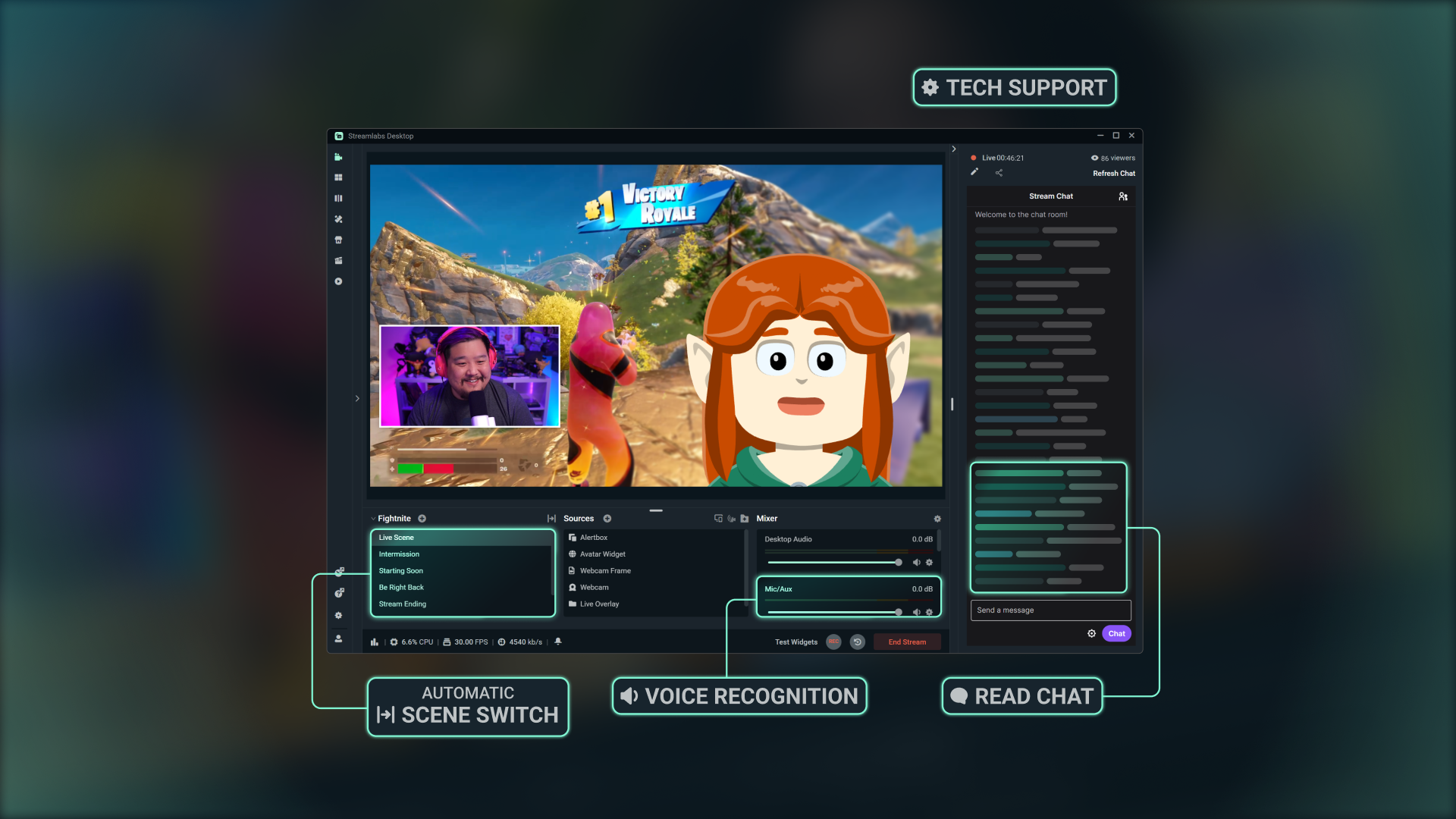
Un Intelligent Streaming Agent che funge da tuo co-conduttore virtuale, produttore dal vivo e supporto tecnico: lavorate insieme così puoi concentrarti sulla creazione.
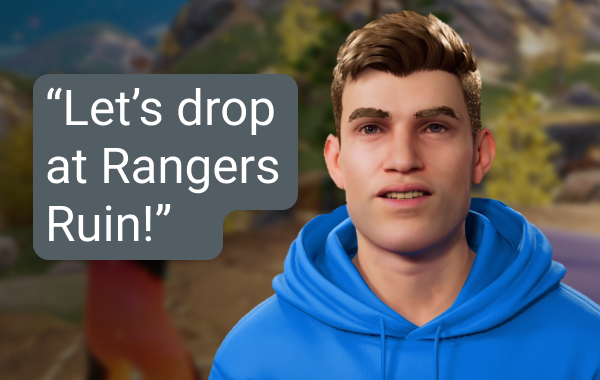
Produttore dal vivo
Usa semplici comandi vocali per cambiare scena, controllare l'audio, interagire con la chat, commentare e altro ancora senza muovere un dito.
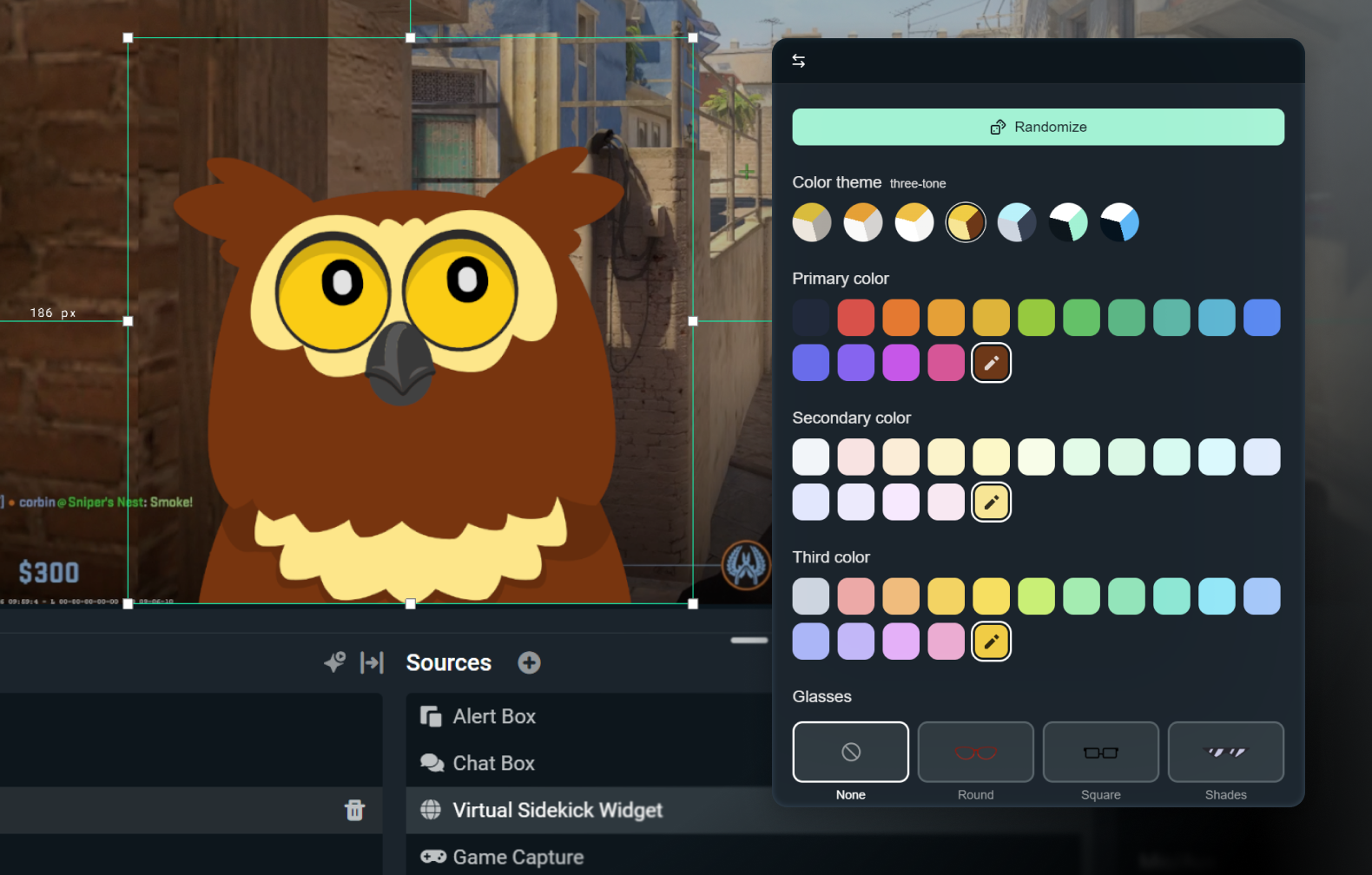
Personalizza il tuo avatar 2D o 3D
Mantienilo discreto con la sola voce abilitata, o dagli vita con un avatar 3D o 2D. Gli avatar 2D ti permettono di sfruttare il tuo assistente sullo schermo senza un impatto elevato sulla tua CPU.
Personalizza il tuo avatar con accessori, un nome e una voce a tua scelta.

Assistenza tecnica
Risoluzione dei problemi in tempo reale, così puoi concentrarti sullo streaming e non sulle impostazioni.
Realizzato con il meglio dell’intelligenza artificiale
Sviluppato usando la tecnologia di NVIDIA e Inworld per avatar 3D realistici e intelligenza in tempo reale.
Come funziona
Installa l’app su Streamlabs Desktop. Scegli Sidekick solo in modalità su schermo o sfondo.
Personalizza le tue impostazioni e scegli un avatar 2D o 3D che si abbini al tuo brand.
Trasmetti come al solito mentre il tuo Sidekick ti aiuta con il cambio di scene, argomenti di discussione, supporto tecnico e altro ancora, così puoi concentrarti sul tuo pubblico.
Accesso facile, basato sull’uso
Gratis
100 interazioni in totale
Avatar di Sidekick
Funzioni di co-conduttore e supporto tecnico
Ultra
1000 interazioni al mese
Uso prioritario se disponibile
Ultra Plus
5000 interazioni al mese
Uso prioritario se disponibile
Specifiche principali
Le funzioni di co-conduttore, produzione e assistenza tecnica funzionano in locale con un impatto minimo sul sistema (~3% della GPU nei test interni). L'avatar 3D opzionale richiederà risorse aggiuntive, tuttavia l'avatar 2D ha un impatto ridotto.
Fortnite, Valorant, PUBG e Counter-Strike 2 sono tutti supportati al 100%.
Tieni d’occhio il supporto per ulteriori giochi.
Usa l'avatar 3D o 2D durante lo streaming, oppure esegui Sidekick in modalità sfondo come assistente silenzioso.
Scopri come iniziare
Segui il nostro tutorial passo dopo passo per vedere come sfruttare tutte le funzionalità che Sidekick ha da offrire.

Realizzato con Streamlabs Vision
L’Intelligent Streaming Agent, noto come Sidekick, è basato su Streamlabs Vision, un potente modello di IA in tempo reale. Gli sviluppatori possono usare la stessa visione, voce e modelli di automazione per creare nuove esperienze per gli streamer di tutto il mondo.
Domande frequenti
Sidekick è il nostro agente di streaming intelligente e funge da co-host virtuale, produttore live e assistente tecnico integrato in Streamlabs Desktop. Ti aiuta con le attività di produzione tramite comandi audio, coinvolge il tuo pubblico e monitora lo stato dello streaming, così puoi concentrarti sulla creazione di contenuti.
No. Gli avatar sono facoltativi. Puoi usare il Sidekick in modalità background come un produttore o assistente tecnico.
Questi giochi sono supportati da Sidekick.:
- 7 Days to Die
- Apex Legends
- ARC Raiders
- Arena Breakout: Infinite
- Battlefield 6
- Bloodborne
- Call of Duty: Black Ops 6
- Call of Duty: Black Ops 7
- Call of Duty: Modern Warfare 4
- Call of Duty: Warzone
- Counter-Strike 2
- Dark Souls Remastered
- Dark Souls II
- Dark Souls III
- DayZ
- Dead by Daylight
- Deadlock
- Delta Force
- Dota 2
- EA Sports FC 26
- Elden Ring
- Enshrouded
- Escape From Tarkov
- F1® 25
- Fortnite
- Forza Horizon 6
- Halo Infinite
- Helldivers 2
- Heroes of the Storm
- Hunt: Showdown 1896
- League of Legends
- Left 4 Dead 2
- Madden NFL 27
- Maratona
- Marvel Rivals
- Minecraft
- Mortal Shell 2
- NBA 2K26 + 2K27
- Overwatch 2
- Palworld
- Path of Exile 2
- PUBG: BATTLEGROUNDS
- Rocket League
- Rust
- Sekiro: Shadows Die Twice
- Teamfight Tactics
- Tom Clancy's Rainbow Six Siege X
- Valheim
- Valorant
- War Thunder
- Wardogs
- World of Warcraft: Solo Shuffle
Continuiamo ad aggiungere nuovi giochi, torna a trovarci per conoscere gli aggiornamenti!
Sì, ma con qualche limite. Gli avatar sullo schermo non sono supportati con GPU AMD. Tuttavia, tutte le altre funzioni (come la modalità solo audio, ecc.) continueranno a funzionare.
Sì. Il piano gratuito funziona con interazioni e automazioni limitate. I piani Ultra e Ultra Plus offrono maggiori possibilità di utilizzo e sono pensati per gli streamer che desiderano limiti più elevati per le interazioni.
Un’interazione è qualsiasi risposta del Sidekick, sia scritta che vocale. Per esempio, se scrivi una domanda nella chat, la risposta del Sidekick conta come interazione. Conta anche se gli chiedi di cambiare scena, a meno che non succeda tramite un’automazione senza che l’avatar commenti, nel qual caso non conta. Azioni come cambiare scena o tagliare i momenti salienti di per sé non sono interazioni, a meno che il Sidekick non risponda a voce o per iscritto.
No. Il contatore si azzera all’inizio di ogni mese.
Sì, puoi scegliere tra diversi avatar e personalizzarne la personalità e l’aspetto in base al tuo brand.
Questi sono i requisiti minimi del sistema per usare l’avatar 3D a schermo. Se usi il Sidekick in modalità solo voce o usi uno dei nostri avatar 2D, devi solo soddisfare i requisiti minimi di Streamlabs Desktop.
Configurazione con singolo PC
- GPU:
- NVIDIA GeForce RTX™ 3090, 3090 TI o 5090 o superiore
- Quadro RTX™ 4000 o superiore
- TITAN RTX™
- VRAM: 24 GB per tutto il carico di lavoro (agente + avatar + produzione)
- Sistema operativo: Windows 11
- Driver: ti consigliamo di installare sempre il driver NVIDIA Game Ready più recente.
Configurazione con doppio PC
- GPU:
- NVIDIA GeForce RTX™ 3060, 3080, 3080 Ti, 3090, 3090 Ti, 4070, 4070 SUPER, 4070 Ti SUPER, 4080 SUPER, 4090, 5070, 5070 Ti, 5080, 5090 o superiore
- Quadro RTX™ 4000 o superiore
- TITAN RTX™
- VRAM: 12 GB
- Sistema operativo: Windows 11
- Driver: ti consigliamo di installare sempre il driver NVIDIA Game Ready più recente.
Se hai bisogno di aiuto per capire quanta VRAM hai, dai un’occhiata alla nostra guida qui.
Contatta l’assistenza a questo link.